
Completing Your Google Business Profile Information
Your Google Business Profile information (accessed through the Edit profile button) is the foundation of local SEO and a source of data for Google Ads campaigns. Every field serves a specific purpose - categories and attributes help your business appear for relevant searches, while your description, opening hours, and messaging links turn profile views into phone calls or visits.
Many business owners fill out their business profile as an afterthought - they enter the name, place a pin on the map, add a phone number, and close the tab. As a result, the profile looks incomplete, loses ground to competitors in the Local Pack (the top 3 local results), and leaves Google's algorithms without enough information to determine who should see their ads when local advertising campaigns are launched.
Below is a detailed breakdown of every section of the Google Business Profile form - what to enter, which fields carry the most weight for rankings, and which wording could get your profile suspended.
Business Profile Field Guide - What to Fill In and How It Affects Results
| Profile Field | Impact on Rankings (SEO) | Impact on Conversion and Advertising | Main Rule for Completion |
|---|---|---|---|
| Business name | Maximum | High | Use the exact name displayed on your real-world signage, without keyword stuffing. |
| Primary and additional categories | Maximum | High | Choose 1 accurate primary category plus up to 3–5 specific additional categories. |
| Description (up to 750 characters) | Low | High | Put your main benefits in the first 250 characters, before the "More" button. |
| Opening hours and special hours | High (at the time of search) | Maximum | Enter accurate opening hours and confirm them for holidays. |
| Attributes and features | Medium (voice search and filter-based searches) | High | Specify payment methods, parking, wheelchair access, Wi-Fi, and delivery options. |
Step-by-Step Guide to Each Profile Section
To open your business profile information, search Google for my business and click Edit profile → Business information.
1. Business Name and Categories (the "About" Tab)
- Business name - enter your actual commercial brand name. Do not add your legal business structure, such as LLC or sole proprietorship, use all caps, include emojis or phone numbers, or list multiple cities.
- Categories - choose categories from Google's dropdown list. Your primary category directly affects which profile features are available. For example, restaurants can display links to their menus and table reservations, while hotels can provide check-in and check-out times.
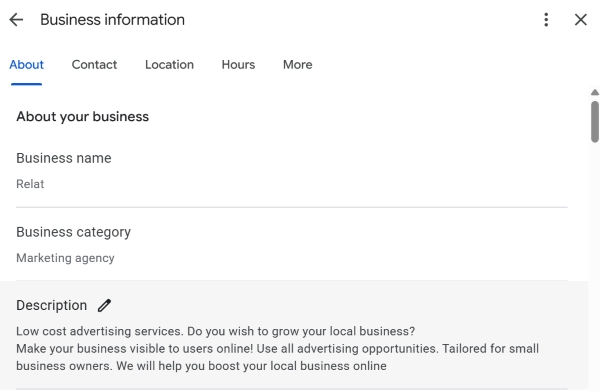
2. Business Description - A Formula for Persuasive Copy
The field allows up to 750 characters, but on mobile devices, users initially see only the first 200–250 characters. Structure your text using the following formula:
- Paragraph 1 (Core Offering and USP) - explain who you are, whom you serve, and what makes you different. For example: "Family dental clinic just 3 minutes from Sokol metro station. Microscope-assisted treatment with a warranty of up to 5 years."
- Paragraph 2 (Key Services) - list 4–6 of your flagship services or product categories in natural, customer-friendly language.
- Paragraph 3 (Trust and Service) - mention your experience, free parking, installment payment options, or a bonus for first-time visitors.
Important - The business description must not contain website links, HTML markup, exaggerated advertising slogans such as "90% off today only!", or prices. Google's moderation system may reject the description if it includes these elements.
3. Opening Date
Enter the month and year when your business location began operating. For established businesses, Google may automatically display a trust badge in search results, such as "5+ / 10+ years in business."
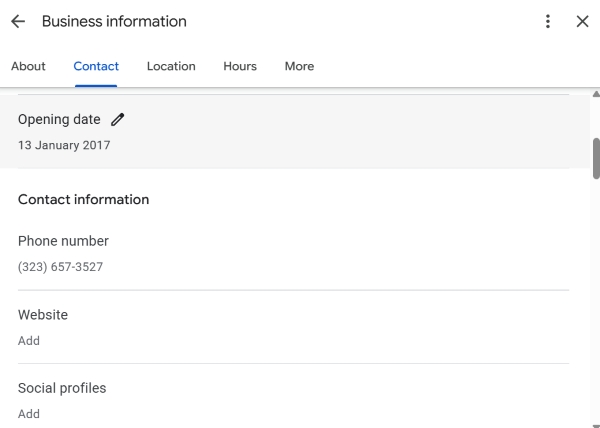
4. Contact Details, Messaging Apps, and Social Media
- Phone number - enter your main business phone number and up to two additional numbers.
- Website - add a link with UTM parameters to track visits in your analytics platform.
- Chat (SMS and WhatsApp) - enable direct messaging so customers can contact you through a messaging app with a single click from your profile.
- Social media profiles - link to your company's official social media pages to strengthen your brand's credibility in the eyes of search engines.
5. Location and Service Area
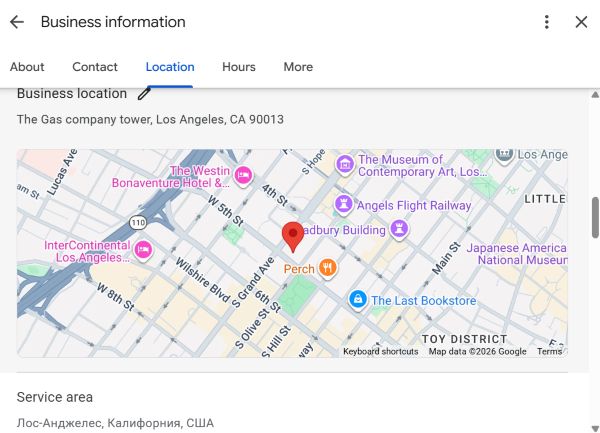
Here, it is important to choose the correct business model for serving customers -
- Physical location (cafe, clinic, or store) - enable address visibility and make sure the map pin is placed precisely at the building's entrance.
- Service-area business without an office (handyman, towing service, or delivery business) - hide your physical address and specify the areas or cities you serve in the "Service area" section.
6. Business Hours
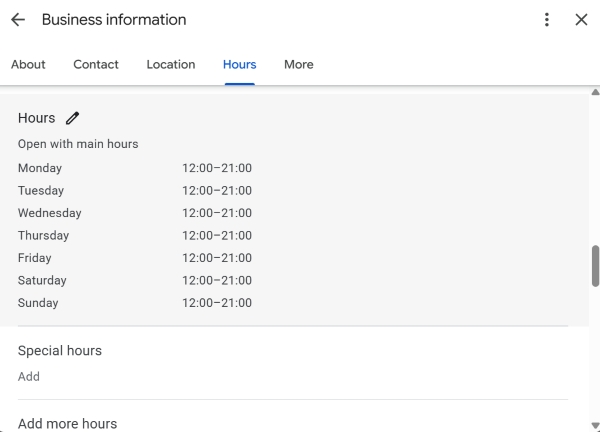
This is an important section. Make sure to enter:
Regular business hours
Special hours - for example, if your delivery service operates on a different schedule.
Holiday hours and any dates when your opening hours will differ from the regular schedule.
7. Attributes
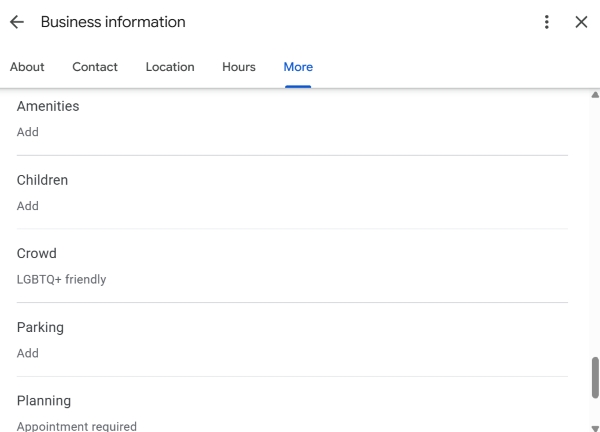
Attributes work as quick filters for users and voice assistants. Select every relevant option -
- Accessibility for people with reduced mobility (ramps, wide entrances).
- Payment methods (cards, NFC, cash).
- Amenities (free Wi-Fi, children's room, restroom, parking).
- Service options (delivery, in-store pickup, takeaway).
Why You Should Complete 100% of Your Business Profile
If you plan to launch local advertising campaigns, such as Performance Max for store goals or search ads with location assets, Google Ads pulls information directly from your Google Business Profile -
- Your categories and services help inform initial automated targeting based on search intent.
- Attributes such as "Free parking" and "Same-day delivery" can appear as quick selling points in your ads on Google Maps.
- Accurate business hours can automatically prevent ads with a call-to-action from showing during closing hours, helping you save your advertising budget.
Checklist - Business Profile Completion Audit
Frequently Asked Questions
Does the text in the "Description" field (750 characters) affect Google Maps rankings?
The business description has little direct impact on search rankings. Google's algorithms rely more heavily on categories, services, and reviews. However, the description is important for conversion and can help provide context for Performance Max advertising campaigns.
What should I enter in the address field if my business operates at customers' locations without an office?
For service-area businesses such as plumbers, cleaning companies, delivery services, and home repair providers, hide the physical address using the relevant setting and configure the "Service area" section by selecting up to 20 cities, districts, or postal codes.
Tips
- A fully completed Google Business Profile can help improve your visibility in local search results and build greater trust with users.
- Don't overlook smaller fields such as the opening date, social media links, and attributes. Together, they help make your business profile more informative and noticeable on Google Maps.
Not sure which primary category or attributes to choose for your industry?
Leave a comment describing what your business does, and we'll suggest an optimal profile configuration to maximize your visibility.