
Google Business Profile Checklist
To consistently rank in the Local Pack top 3 and generate free phone calls, simply verifying your address is not enough. Your profile needs to be optimized across five key areas: accurate core information (NAP and categories), visual presentation, product and service listings, reputation management, and analytics tracking. Use this checklist to audit your business profile in just 20 minutes.
Even well-established offline businesses often have Google Maps profiles that are only half complete: an outdated local phone number, two random photos taken on a phone, and empty product and service sections. As a result, traffic goes to competitors who simply spent an hour presenting their profiles professionally.
We've created a structured checklist covering five stages. Go through each item and check off everything you've already implemented in your business.
How Profile Elements Affect Rankings
| Profile Section | Impact on Search Rankings | Impact on Phone Call Conversions | Update Frequency |
|---|---|---|---|
| 1. Core Information and Categories | Maximum | High | Every six months or whenever business details change |
| 2. Services, Products, and Attributes | High | Maximum | Every 1–3 months (update prices) |
| 3. Photos and Videos | Medium | Maximum | Monthly (add 3–5 new photos) |
| 4. Reviews and Questions & Answers (Q&A) | Maximum | Maximum | Ongoing (respond within 24 hours) |
| 5. Posts (Google Updates) | Moderate | High | Every 7–10 days |
Section 1. Core Information and Geographic Accuracy
This is the foundation of your business profile. It determines which searches Google may show your business for and the geographic area in which it may appear.
Section 2. Commercial Presentation - Description, Products, and Services
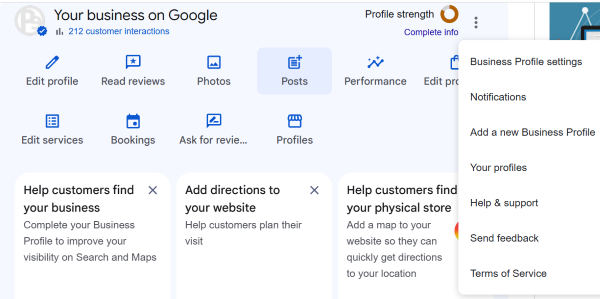
These elements help users quickly understand your prices and competitive advantages without having to call and ask basic questions.
[Screenshot placeholder - Completed product and service listings in Google Maps mobile search results]
Section 3. Visual Content - Photos and Videos
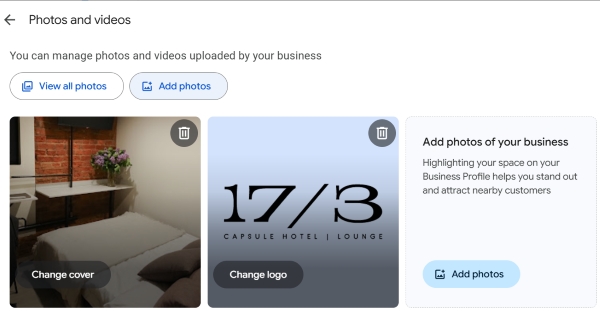
Business profiles with high-quality photos receive 42% more requests for directions and 35% more website clicks.
Important - Do not upload stock images from the internet or promotional designs with excessive text overlaid on photos. Google's computer vision systems can recognize this type of content and may limit its visibility.
Section 4. Reputation Management and Engagement
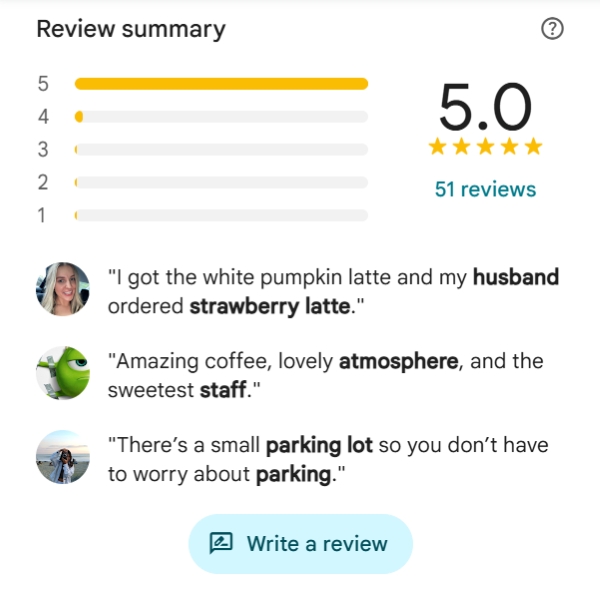
Section 5. Analytics and Account Security
Frequently Asked Questions
How can I tell whether my Google Business Profile is 100% complete?
The profile management interface in Google Search displays a "Profile completeness" indicator. Once the core information, contact details, opening hours, and photos have been added, the indicator may disappear or show a fully completed progress circle. This indicates that the required profile information has been provided.
How often should I audit my profile using this checklist?
A full review of categories, services, attributes, and prices is recommended every quarter. Check for suggested edits from users, publish updates, and respond to reviews weekly.
Tips
- A fully completed profile can outperform many local competitors by providing more complete information and encouraging more clicks.
- Focus primarily on accurate categories, the Products showcase, authentic photos, and regular responses to reviews that naturally mention relevant keywords.
- Bookmark this page and audit each business location using the checklist every three months.
Want an expert to review your business profile?
Share a link to your Google Maps profile in the comments. We'll identify which checklist items are missing and recommend what to fix first.