
How to Respond to Google Maps Reviews - Strategies, Ready-to-Use Templates, and SEO Secrets
A Google Maps review response is not written for a single reviewer, but for hundreds of potential customers who read the conversation before calling. Owner responses directly affect business profile visibility in search results - Google's system indexes keywords in your replies. Respond within 24 hours, avoid robotic, generic responses, naturally incorporate service names into your thank-you messages, and move conflicts to WhatsApp.
Most business owners make two mistakes - they ignore positive reviews (why respond if everything is already going well?) or get into emotional arguments in response to negative ratings. Both approaches damage their reputation.
For Google's search engine, the reviews section is a live indicator of business quality. When an owner communicates with customers regularly and constructively, the business profile may gain an additional advantage in local search.
How Business Responses Improve Local SEO
Google Maps scans not only the text written by a customer but also the organization's response:
- Enriching the profile with relevant keywords - if a customer writes a brief review such as "Excellent service!" and you reply, "Thank you! We're glad the windshield replacement and headlight polishing went smoothly," the algorithm can associate these services with your business profile.
- User engagement (CTR) - a profile with genuine, friendly responses can attract more clicks on the "Directions" button than one with an inactive review section.
- Showing that the business is active - regular responses signal to search systems that the business is open and engaging with customers.
Response Strategies for Different Types of Reviews
| Review Type | Main Goal of the Response | What to Include | What to Avoid |
|---|---|---|---|
| 5 stars with a written review | Strengthen the relationship and support SEO | Customer's name, name of the service provided, staff member's name, invitation to return | Replying with a generic "Thank you for your review" |
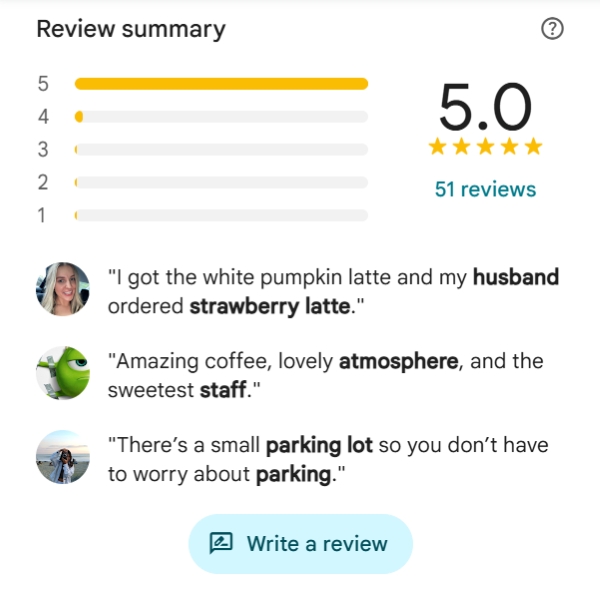
| 5-star rating without text | Show appreciation and add context | Thank the customer for rating the team's work + briefly mention key services | Leaving ratings without written reviews unanswered |
| 3–4 stars (with minor complaints) | Address concerns and restore trust | Thank the customer for their honesty, acknowledge the shortcoming, and clearly explain what has already been fixed | Arguing over the missing star or trying to prove you are right |
| 1–2 stars (legitimate complaint) | Demonstrate customer focus to other readers | Acknowledge the customer's frustration, investigate the situation, and provide direct management contact details to discuss compensation | Making excuses, being rude, or accusing the customer of lying |
| 1 star (fake review posted by a competitor) | Help other readers recognize that the review may be unreliable | State that no matching order can be found in your records and ask for the visit date and order or contract number | Threatening legal action or writing in all caps |
Ready-to-Use Templates for Quick Responses
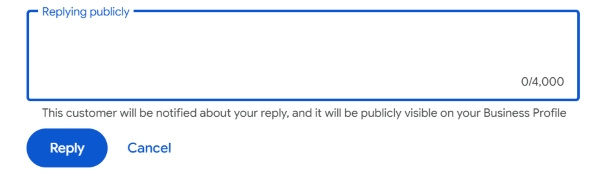
1. Responding to a Detailed Positive Review
[Name], thank you for your detailed review and for rating our work so highly! We're delighted that your [service name, e.g., professional teeth cleaning]
with Dr. [Doctor's Name] was comfortable and pain-free. We'll share your kind words with our entire team. We look forward to seeing you for your next routine checkup
at our clinic on [Street Name / Nearest Metro Station]!
2. Responding to a 5-Star Rating Without Text
[Name], thank you for giving our [business type, e.g., auto repair shop] 5 stars! We truly appreciate your trust. We're always ready to help with routine
maintenance, diagnostics, and getting your car ready for the season!
3. Responding to Constructive Negative Feedback
Hello, [Name]. We sincerely apologize for the delay in preparing your order for pickup — we understand how frustrating it is when your plans are disrupted.
We've already discussed the issue with the team on duty and adjusted our food preparation procedures. Please contact us on WhatsApp at [Phone Number],
and include the date of your visit. We'd like to make things right personally and offer you a special bonus on your next order.
4. Responding to a Suspicious Review Without Details (Potential Competitor Spam)
Hello, [Name]. We've carefully checked our appointment records and payment system data for the past month, but we couldn't find a customer matching the details provided.
We value our reputation and strictly follow our [service name] standards. If you have genuinely visited us,
please provide the date of your visit, receipt number, or the last four digits of your phone number in a reply to this comment, or email us at
[Email]. Otherwise, we may need to report this review to Google Support for moderation as potentially misleading content.
Important - Never insert clickable web links or website addresses into your business response! Google's systems may treat links in responses as a policy violation and could hide your reply from public view.
How to Report Defamation and Remove a Fake Review
A business profile owner cannot delete someone else's review with a single click. However, if a comment violates Google's policies (for example, it contains profanity, insults, advertising, or was written by someone who was not a customer), you can report it:
- Open Google Maps or Google Search while signed in to the account that manages the business profile.
- Find the review in question and click the three dots next to it.
- Select Report review.
- Choose the most accurate reason - Spam and fake content, Conflict of interest, or Harassment or bullying.
- If the review has not been removed after 3–4 days, visit the official Reviews Management Tool in the Google Help Center and submit an appeal for another review by a human moderator.
Checklist - Your Company's Standard Procedure for Google Maps Reviews
Frequently Asked Questions
Do business owner responses affect Google Maps rankings?
Yes, Google's Google Business Profile Help documentation confirms that responding to reviews helps demonstrate that a business values customer feedback. In addition, mentioning relevant services in your responses can make the profile's text more relevant to those services.
What should I do if a customer gives a 1-star rating without leaving a comment?
Always leave a calm, professional response to a 1-star rating without text. Explain that you cannot find a customer with that name in your records, ask them to provide a receipt number or visit date, and share a management contact so the situation can be investigated.
Tips
- Review responses are a free local SEO tool that can work for your business every day.
- Turn your thank-you messages into an organic showcase for your services by naturally mentioning the work you performed.
- Handle negative feedback without aggression - a calm, constructive business response to an unfair review can earn more respect from potential customers than an artificially perfect 5.0 rating.
Does your business profile have a difficult negative review?
Share the complaint in the comments, and we'll help you draft a professional response that protects your brand's reputation and demonstrates to potential customers that your business handles feedback responsibly.